How do I update my contact information?
Print- 0
- Log in to your cPanel account.
- Find and click the "Contact Info" option under the "Preferences" section.
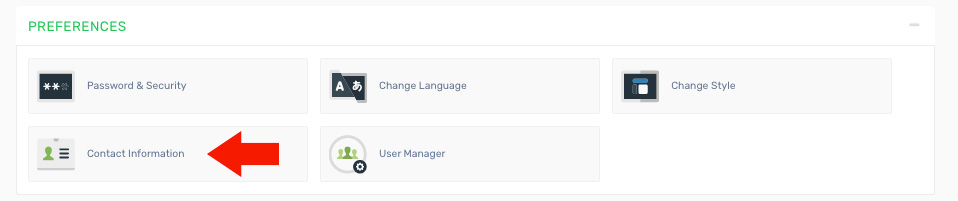
3. Enter the required details and configure your preferences:
- Primary email address - The main email where you want to receive notifications.
- Secondary email address - An optional backup email for additional notifications.
- Update preferences - Choose how and when you would like to receive alerts.
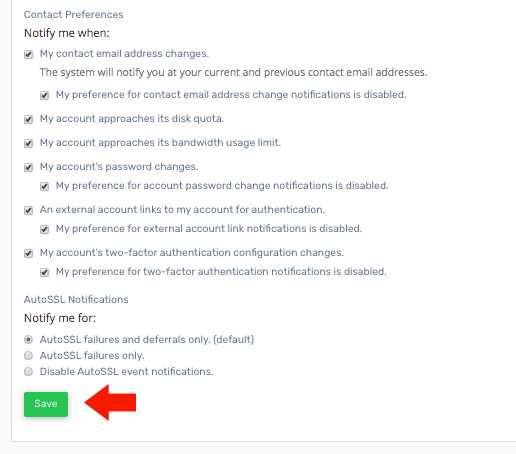
4. Click the "Save" button to apply and store your changes.
Was this answer helpful?
Related Articles
How do I backup my cPanel account? Log in to your cPanel account. Find and click the "Backup Wizard" option under the "Files"...
How do I change my cPanel Password? To update your cPanel password, it is important to make the change from your client area instead...
How do I change my cPanel theme? Log in to your cPanel account. Find and click the "Change Style" option under the...
How do I change my language in cPanel? Log in to your cPanel account. Find and click the "Change Language" option under the...
How do I change the version of PHP I am using? The PHP Selector allows you to choose and manage different PHP versions for your account. Keep in...
Powered by WHMCompleteSolution

