How do I change the version of PHP I am using?
Print- 0
The PHP Selector allows you to choose and manage different PHP versions for your account. Keep in mind that the selected version applies to your entire cPanel account, meaning all websites under it will use the same PHP version. You can change it at any time by following the steps below.
1. Access the PHP Selector by logging in to your cPanel account. Scroll to the "Software/Services" section on the dashboard and click on "Select PHP Version".
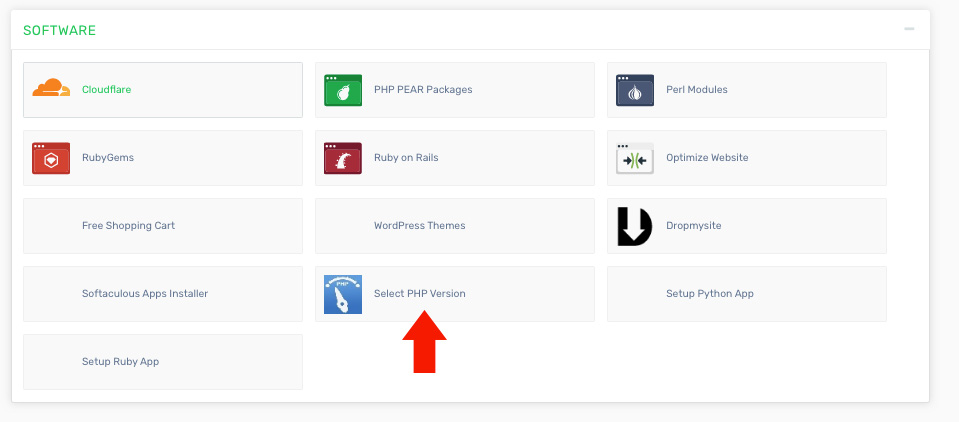
2. On this page, you can choose your desired PHP version and manage its settings or extensions. Start by clicking the button on the right. The "Show PHP Settings" button toggles with "Show PHP Extensions". Click it to switch views, then use the dropdown menu to select the PHP version you want to configure. The same process applies when switching to extensions.
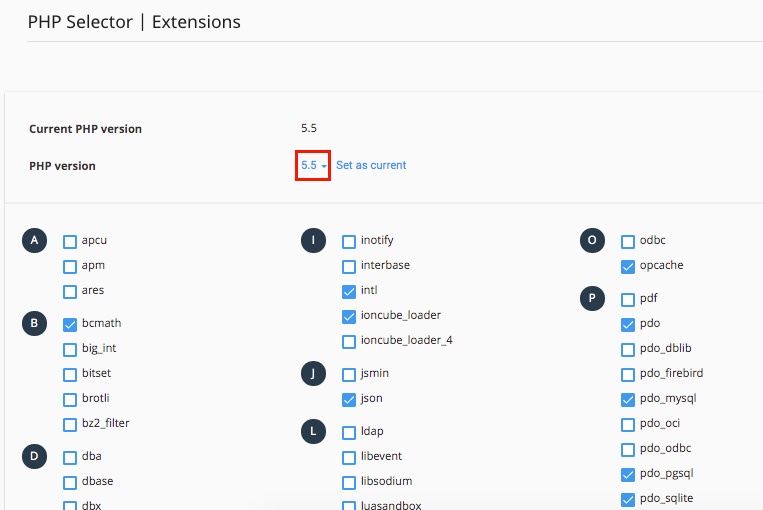
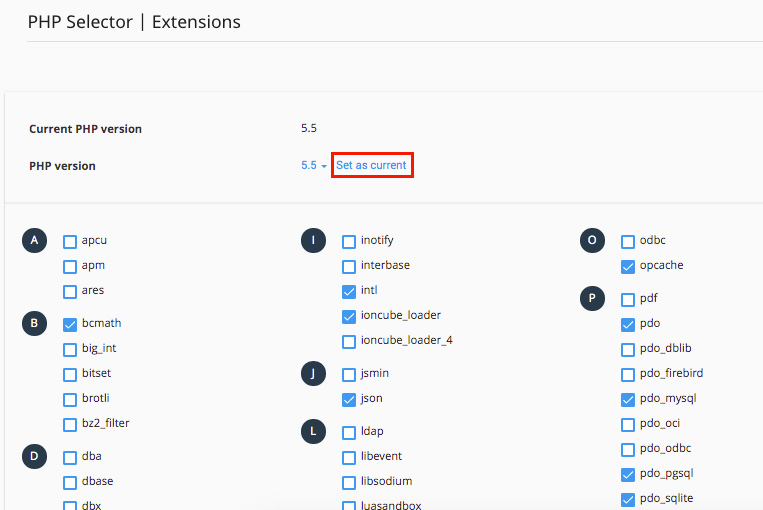
3. To modify settings for a specific PHP version, follow the same approach. Click the toggle button on the right first, then select your preferred version from the dropdown menu to adjust its configuration.
Was this answer helpful?
Related Articles
How do I backup my cPanel account? Log in to your cPanel account. Find and click the "Backup Wizard" option under the "Files"...
How do I change my cPanel Password? To update your cPanel password, it is important to make the change from your client area instead...
How do I change my cPanel theme? Log in to your cPanel account. Find and click the "Change Style" option under the...
How do I change my language in cPanel? Log in to your cPanel account. Find and click the "Change Language" option under the...
How do I find my PHP version? Log in to your cPanel account. On the right-hand side under the "Stats" section, find the row...
Powered by WHMCompleteSolution

