How do I create an email spam filter?
Print- 0
- Log in to your cPanel account.
- Find and click the "Account Level Filtering" option under the "Mail" section.
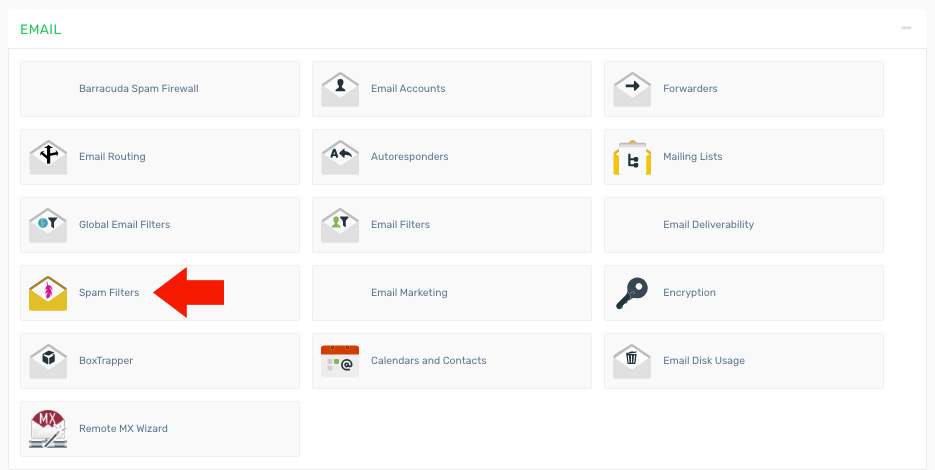
3. Define the rules for your spam filter. For example, you can block emails containing specific phrases such as "Free Money" in the subject line.
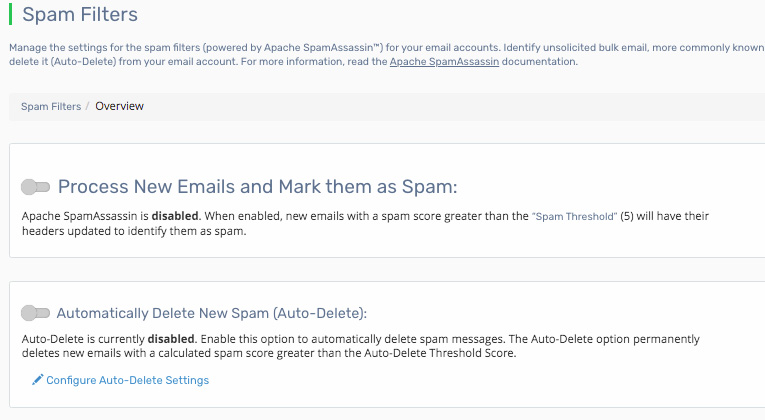
4. Click the "Activate" button to apply the filter across all email accounts on the domain.
Was this answer helpful?
Related Articles
How do I access my webmail? Webmail can be accessed using the following URL: http://yourdomain.com/webmail Note:...
How do I change my email password? If you know your email password: Log in to your webmail account. On the main page, click...
How do I configure my Default Address? 1. Log in to your cPanel account. 2. Find and click the "Default Address" icon under the "Mail"...
How do I create a mailing list? 1. Log in to your cPanel account. 2. Find and click the "Mailing Lists" option under the "Mail"...
How do I create an email account in cPanel? 1. Log in to your cPanel account. 2. Find and click the "Email Accounts" option under the "Mail"...
Powered by WHMCompleteSolution

